海报排版 / PROMPT
城市名地标排版旅行海报
从公开案例收录的海报排版提示词,适合参考其画面结构、风格控制和细节描述。
适用模型GPT Image 2
已实测灵感来源于 awesome-gpt-image-2 案例 511;当前提示词与效果图由 Fastgoing 使用 GPT Image 2 实测重新制作。
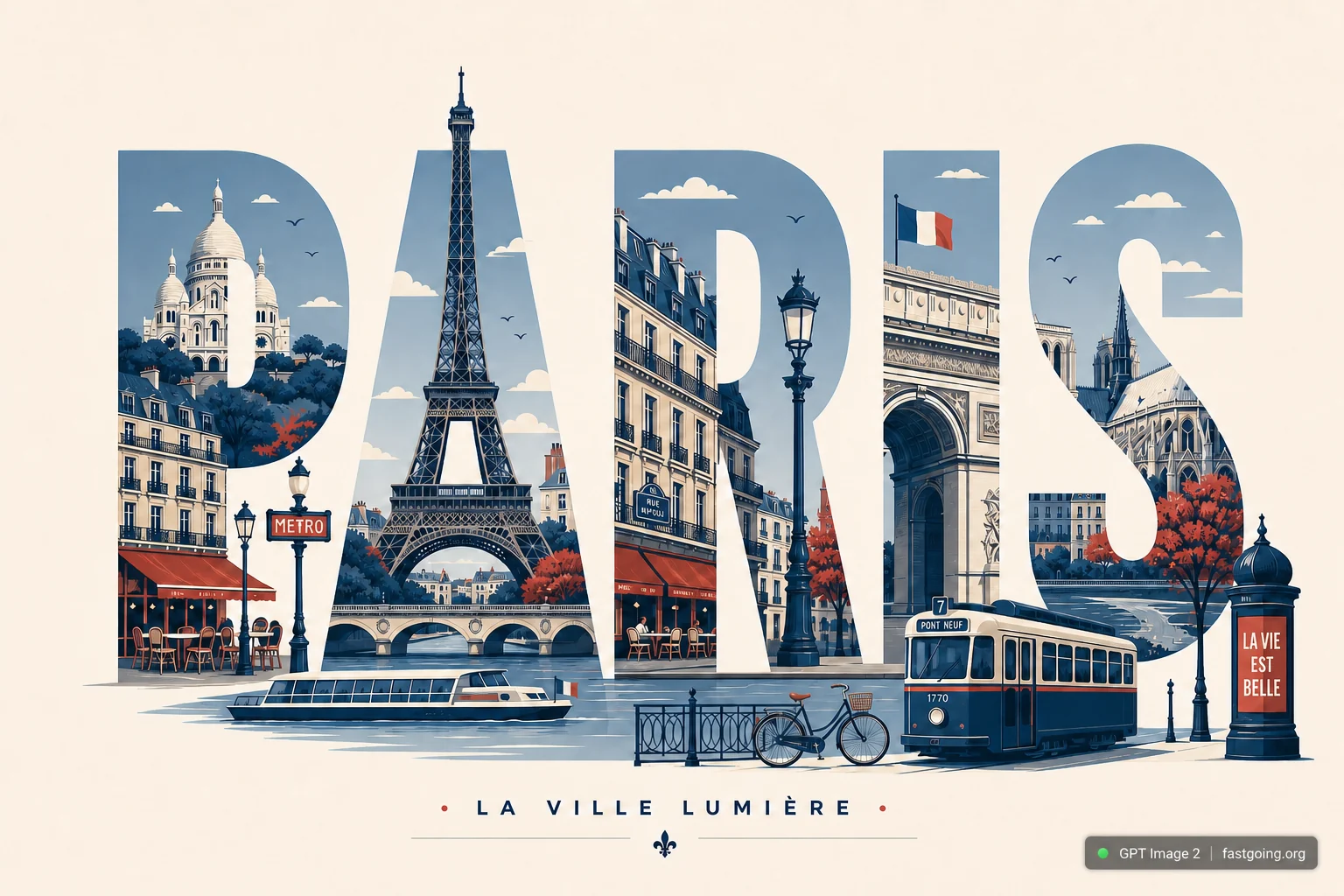
完整提示词COPY / USE
Create a clean, modern typographic travel poster where the city name itself becomes the composition. Render the city name in large, bold, uppercase sans-serif letters spanning the width of the artwork. Seamlessly integrate the city's most iconic landmarks, architecture, monuments, streets, transportation, cultural symbols, cafés, bridges, parks, skylines, sculptures, waterfronts, historic buildings, and local details into, around, and inside the letters. Let landmarks naturally interact with the typography while preserving legibility.
Use an elegant flat vector illustration style with crisp geometric shapes, minimal detail, clean outlines, subtle shadows, and a premium editorial aesthetic. Maintain a limited color palette of deep navy, warm cream, muted red, and soft gray-blue for a timeless travel-poster look.
Add small decorative elements such as street lamps, trees, clouds, birds, benches, bicycles, fountains, trams, ferries, or other city-specific objects where appropriate. Keep generous negative space with a clean background and perfectly balanced composition.
Ensure every landmark, architectural style, vehicle, sign, and cultural element is accurate to the chosen city—avoid generic or incorrect landmarks. If desired, include a small elegant tagline beneath the city name (such as a famous nickname or slogan) in minimal typography.
Style: premium flat vector, minimalist travel poster, geometric illustration, editorial design, tourism branding, clean typography, high contrast, ultra-sharp lines, museum-quality print, modern graphic design, centered composition, scalable SVG aesthetic, 8K resolution.复制后,可参考下方“建议替换”项目改成你的主题;带【方括号】的内容请优先替换。
PROVENANCE / 来源与验证
它从哪里来,是否完成实测?
灵感来源于 awesome-gpt-image-2 案例 511;当前提示词与效果图由 Fastgoing 使用 GPT Image 2 实测重新制作。
GPT Image 2 · 2026-08-17 实测HOW TO USE
不用学提示词工程,也能改成自己的。
建议替换
01【海报主题】02【标题文案】03【主视觉】04【配色与比例】使用小贴士
先只替换变量跑一次,观察最不符合预期的部分;第二轮只补充那一项约束,通常比一次塞进很多要求更稳定。