品牌标志 / PROMPT
夹层式品牌编辑海报
从公开案例收录的品牌标志提示词,适合参考其画面结构、风格控制和细节描述。
适用模型GPT Image 2
已实测灵感来源于 awesome-gpt-image-2 案例 478;当前提示词与效果图由 Fastgoing 使用 GPT Image 2 实测重新制作。
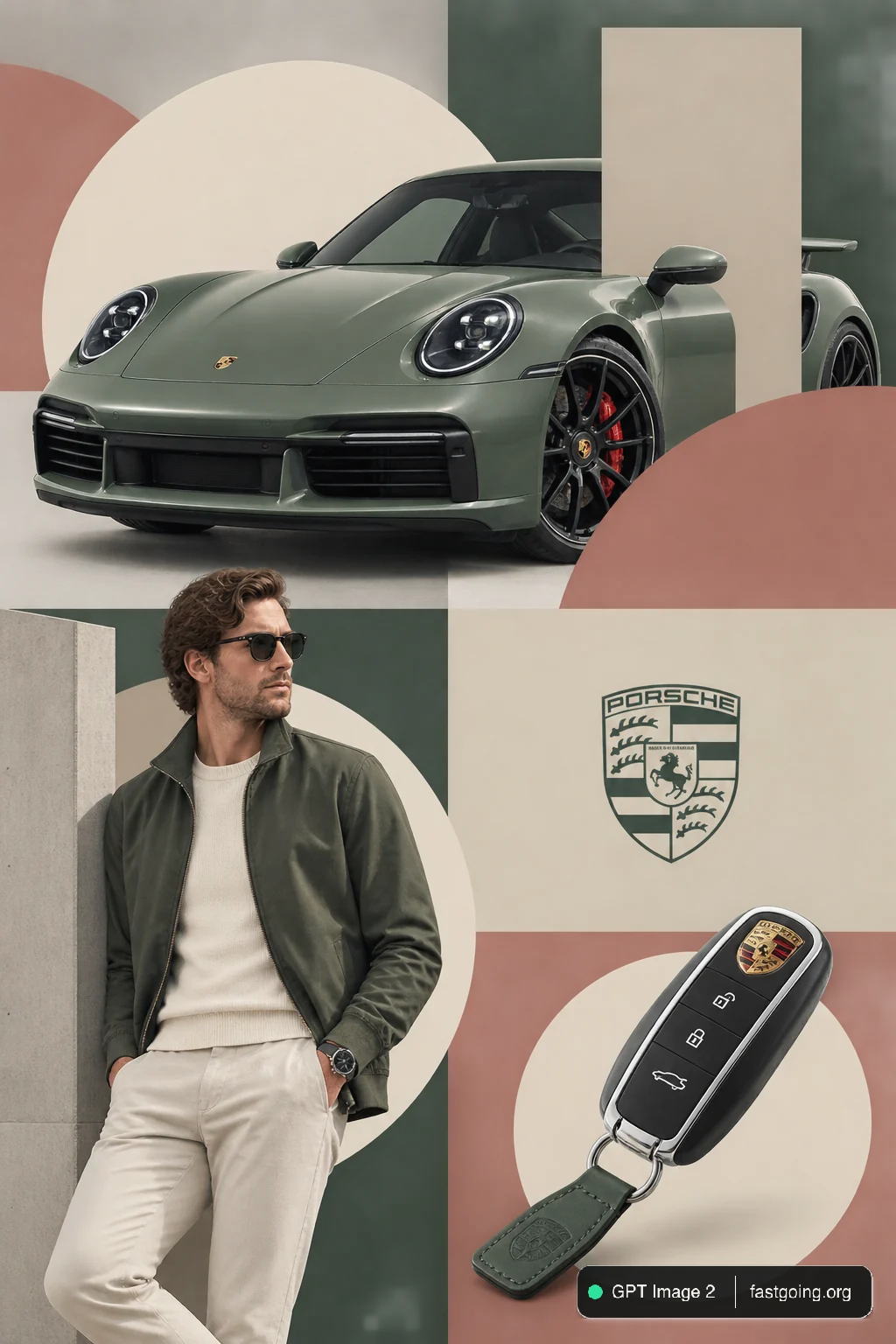
完整提示词COPY / USE
[BRAND NAME]. You are a world-class editorial designer.

STEP 1, DYNAMIC SUBJECT LOGIC:
- Subject pick: independently study [BRAND NAME] and choose the right hero subject.
- Sandwich layering: weave the subject through the background shapes. Parts of the car or figure must sit hidden behind geometric blocks, while other parts (wheels, limbs, props) overlap in front of those blocks to fake real 3D depth.

STEP 2, GRID & GEOMETRY:
- Layout: a clean 2x2 grid composition.
- Overlays: drop large bold geometric arcs and circles on top of the grid.
- Visual balance: place one iconic product prop (a floating key fob for cars, a ball for sports, etc.) in its own quadrant to counterweight the subject.

STEP 3, SOPHISTICATED MUTED PALETTE:
- No aggressive neon, no oversaturated colors.
- Pull [BRAND NAME]'s core colors and shift them into a "sophisticated muted" range. Use desaturated, earthy, dusty versions of the brand colors (dusty rose instead of hot pink, sage green instead of bright mint, slate blue instead of royal blue).
- Finish: matte flat color blocks, zero gradients.

STEP 4, PHOTOGRAPHY & LIGHTING:
- Subject style: high-end commercial studio photography.
- Lighting: soft diffused studio light, gentle highlights, no harsh shadows.
- Integration: the subject must feel physically embedded into the graphic grid.

STEP 5, MINIMALIST BRANDING:
- Drop a clean single-color [BRAND NAME] logo dead-center on one background block. No tagline, just the iconic symbol.复制后,可参考下方“建议替换”项目改成你的主题;带【方括号】的内容请优先替换。
PROVENANCE / 来源与验证
它从哪里来,是否完成实测?
灵感来源于 awesome-gpt-image-2 案例 478;当前提示词与效果图由 Fastgoing 使用 GPT Image 2 实测重新制作。
GPT Image 2 · 2026-08-17 实测HOW TO USE
不用学提示词工程,也能改成自己的。
建议替换
01【BRAND NAME】使用小贴士
先只替换变量跑一次,观察最不符合预期的部分;第二轮只补充那一项约束,通常比一次塞进很多要求更稳定。