UI 界面 / PROMPT
面部美学分析报告
从公开案例收录的UI 界面提示词,适合参考其画面结构、风格控制和细节描述。
适用模型GPT Image 2
已实测灵感来源于 awesome-gpt-image-2 案例 437;当前提示词与效果图由 Fastgoing 使用 GPT Image 2 实测重新制作。
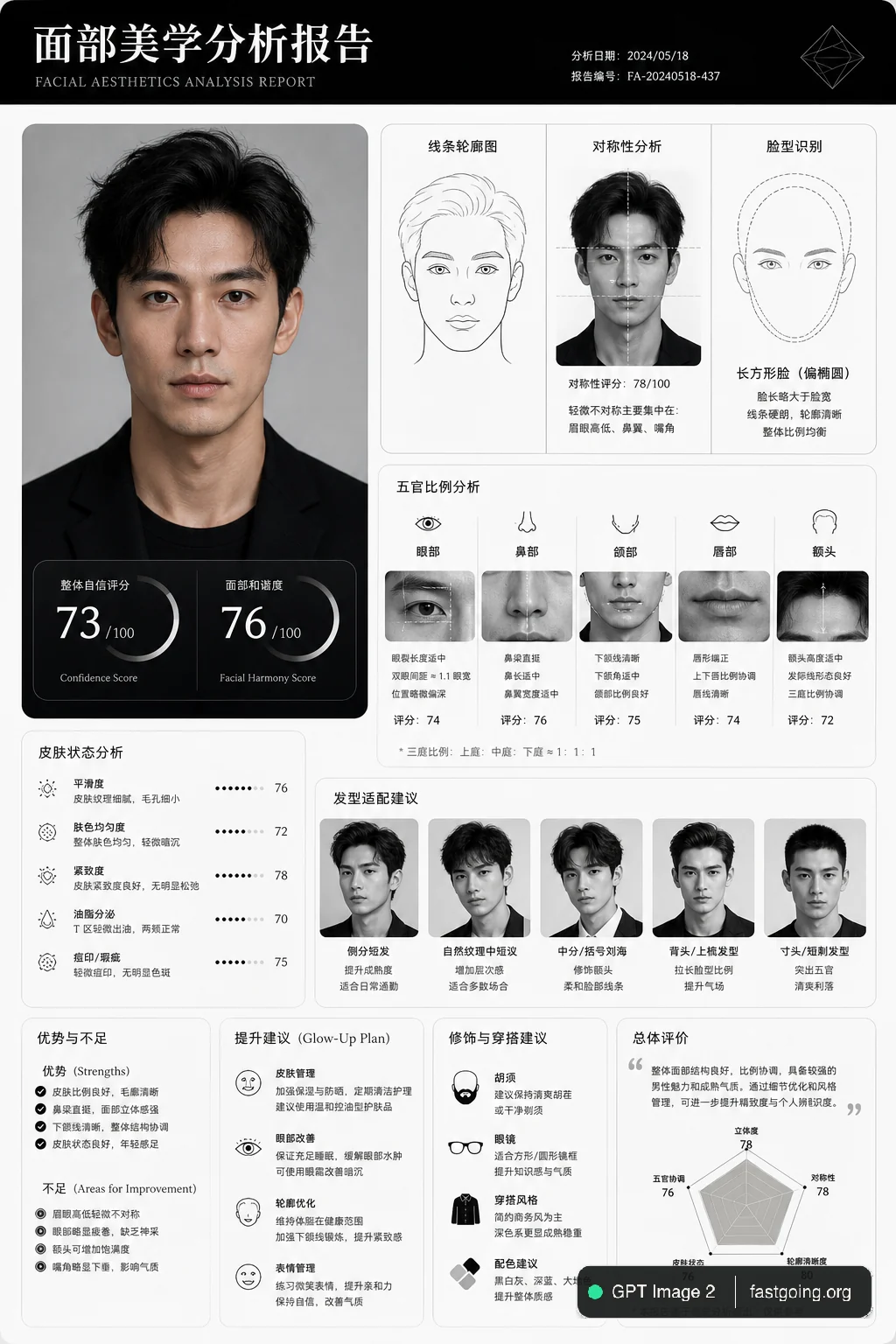
完整提示词COPY / USE
Create a clean, minimal, luxury-style facial aesthetics analysis report based on the uploaded portrait photo.
Design style:
Ultra-modern black and white interface, premium editorial aesthetic, thin elegant divider lines, soft rounded cards, subtle shadows, spacious layout, luxury skincare / fashion magazine vibe, monochrome palette, Apple-style UI refinement.
Include:
– A simple contour line-art drawing of the face based on the subject
– Facial symmetry analysis
– Face shape identification
– Proportional analysis (eyes, nose, jawline, lips, forehead)
– Skin texture observations
– Hairstyle compatibility suggestions
– Grooming and fashion recommendations
– Honest attractiveness evaluation with balanced critique
– Strengths and weaker facial areas explained objectively
– Actionable glow-up recommendations
– Confidence score and facial harmony score shown with elegant charts or meters
Style notes:
Keep the report data-driven, visually refined, realistic, and not overly flattering.
Avoid exaggerated praise.
Use clean typography, premium spacing, modern infographics, subtle geometric accents, and professional cosmetic consultation aesthetics.
Visual composition:
Magazine-quality presentation, luxury beauty report dashboard, highly organized layout, cinematic monochrome feel, minimalist infographic design, realistic facial structure interpretation, modern masculine beauty analytics.
Rendering:
Ultra-detailed, sharp UI design, realistic portrait adaptation, sophisticated editorial presentation, high-end branding aesthetic, 4K quality.复制后,可参考下方“建议替换”项目改成你的主题;带【方括号】的内容请优先替换。
PROVENANCE / 来源与验证
它从哪里来,是否完成实测?
灵感来源于 awesome-gpt-image-2 案例 437;当前提示词与效果图由 Fastgoing 使用 GPT Image 2 实测重新制作。
GPT Image 2 · 2026-08-18 实测HOW TO USE
不用学提示词工程,也能改成自己的。
建议替换
01【产品或平台】02【页面内容】03【界面风格】04【画面比例】使用小贴士
先只替换变量跑一次,观察最不符合预期的部分;第二轮只补充那一项约束,通常比一次塞进很多要求更稳定。