人物角色 / PROMPT
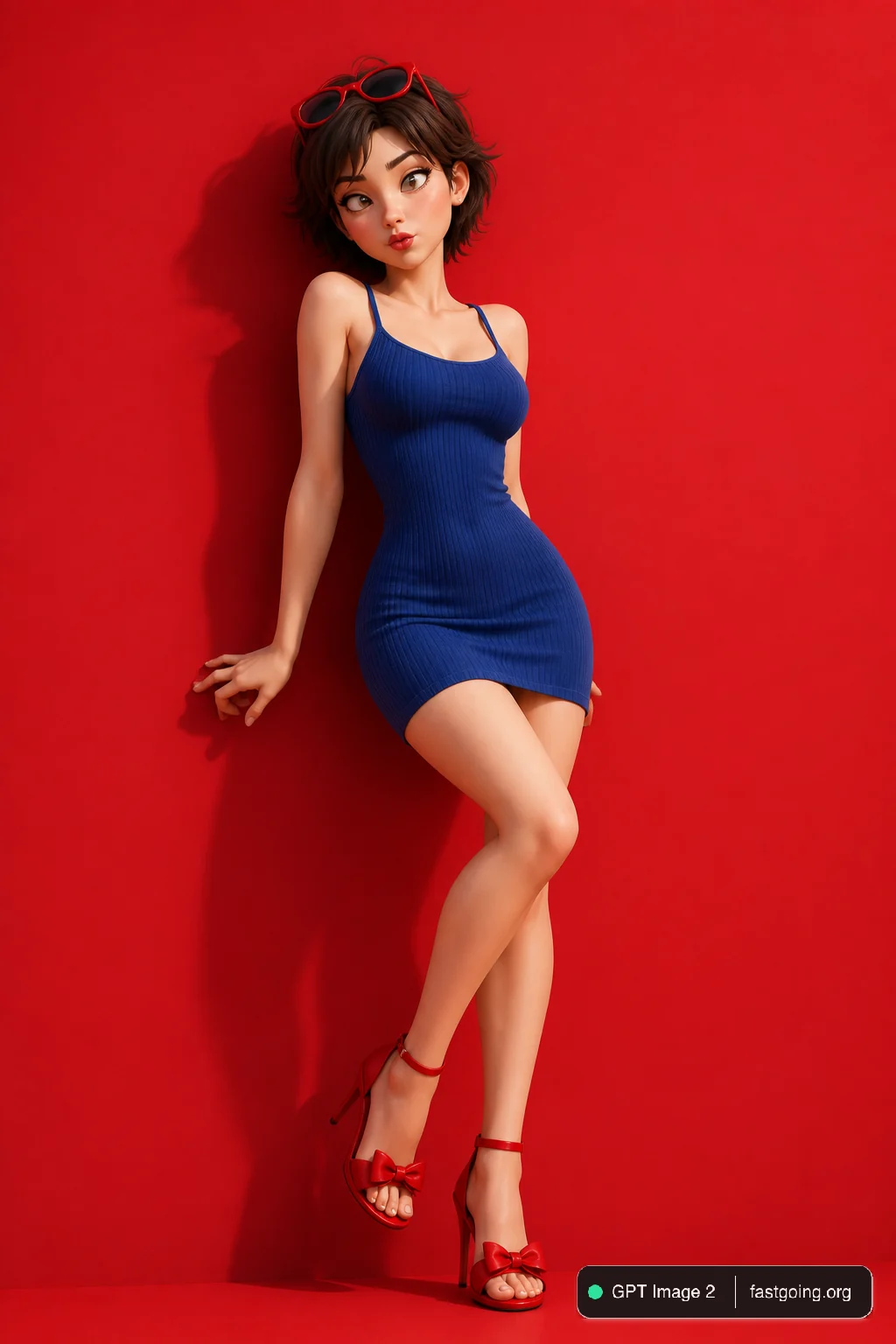
红蓝撞色高跟诱惑
从公开案例收录的人物角色提示词,适合参考其画面结构、风格控制和细节描述。
适用模型GPT Image 2
已实测灵感来源于 awesome-gpt-image-2 案例 326;当前提示词与效果图由 Fastgoing 使用 GPT Image 2 实测重新制作。
完整提示词COPY / USE
[中文]
{
  "global_settings": {
    "resolution": "8K",
    "quality": "超高清晰度",
    "aspect_ratio": "2:3",
    "render_style": "AI编辑、高细节3D渲染",
    "lighting_quality": "柔和影棚光与逼真阴影",
    "sharpness": "极致清晰、锐利边缘",
    "noise": "无",
    "compression": "无"
  },
  "image_style": {
    "subject": {
      "character_type": "风格化3D卡通女性",
      "pose": "微微后仰靠在背景上",
      "expression": "俏皮、嘴唇轻撅、眼睛斜视",
      "hair": {
        "color": "棕色",
        "style": "短发、凌乱",
        "accessories": "红色太阳镜架在头顶"
      }
    },
    "clothing": {
      "dress": "贴身蓝色罗纹吊带裙",
      "footwear": "红色高跟凉鞋配蝴蝶结"
    },
    "color_palette": [
      "大胆红色",
      "深蓝"
    ],
    "background": {
      "color": "纯红色",
      "texture": "光滑哑光表面"
    },
    "lighting": {
      "direction": "一侧柔和定向光",
      "shadow": "在红色背景上投下清晰影子"
    },
    "composition": {
      "framing": "全身",
      "pose_emphasis": "弯曲身姿、交叉双腿"
    }
  }
}

[English]
{
  "global_settings": {
    "resolution": "8K",
    "quality": "ultra-high definition",
    "aspect_ratio": "2:3",
    "render_style": "AI-edited, high-detail 3D render",
    "lighting_quality": "soft studio lighting with realistic shadows",
    "sharpness": "extreme clarity, crisp edges",
    "noise": "none",
    "compression": "none"
  },
  "image_style": {
    "subject": {
      "character_type": "stylized 3D cartoon female",
      "pose": "leaning slightly backward against background",
      "expression": "playful, lips slightly pursed, eyes looking sideways",
      "hair": {
        "color": "brown",
        "style": "short, tousled",
        "accessories": "red sunglasses resting on head"
      }
    },
    "clothing": {
      "dress": "form-fitting blue ribbed dress with thin straps",
      "footwear": "red high-heel sandals with bow detail"
    },
    "color_palette": [
      "bold red",
      "deep blue"
    ],
    "background": {
      "color": "solid red",
      "texture": "smooth matte surface"
    },
    "lighting": {
      "direction": "soft directional light from one side",
      "shadow": "defined shadow cast on red background"
    },
    "composition": {
      "framing": "full body",
      "pose_emphasis": "curved posture, crossed legs"
    }
  }
}复制后,可参考下方“建议替换”项目改成你的主题;带【方括号】的内容请优先替换。
PROVENANCE / 来源与验证
它从哪里来,是否完成实测?
灵感来源于 awesome-gpt-image-2 案例 326;当前提示词与效果图由 Fastgoing 使用 GPT Image 2 实测重新制作。
GPT Image 2 · 2026-08-18 实测HOW TO USE
不用学提示词工程,也能改成自己的。
建议替换
01【中文】02【English】使用小贴士
先只替换变量跑一次,观察最不符合预期的部分;第二轮只补充那一项约束,通常比一次塞进很多要求更稳定。