人物角色 / PROMPT
人物角色设定图
从公开案例收录的人物角色提示词,适合参考其画面结构、风格控制和细节描述。
适用模型GPT Image 2
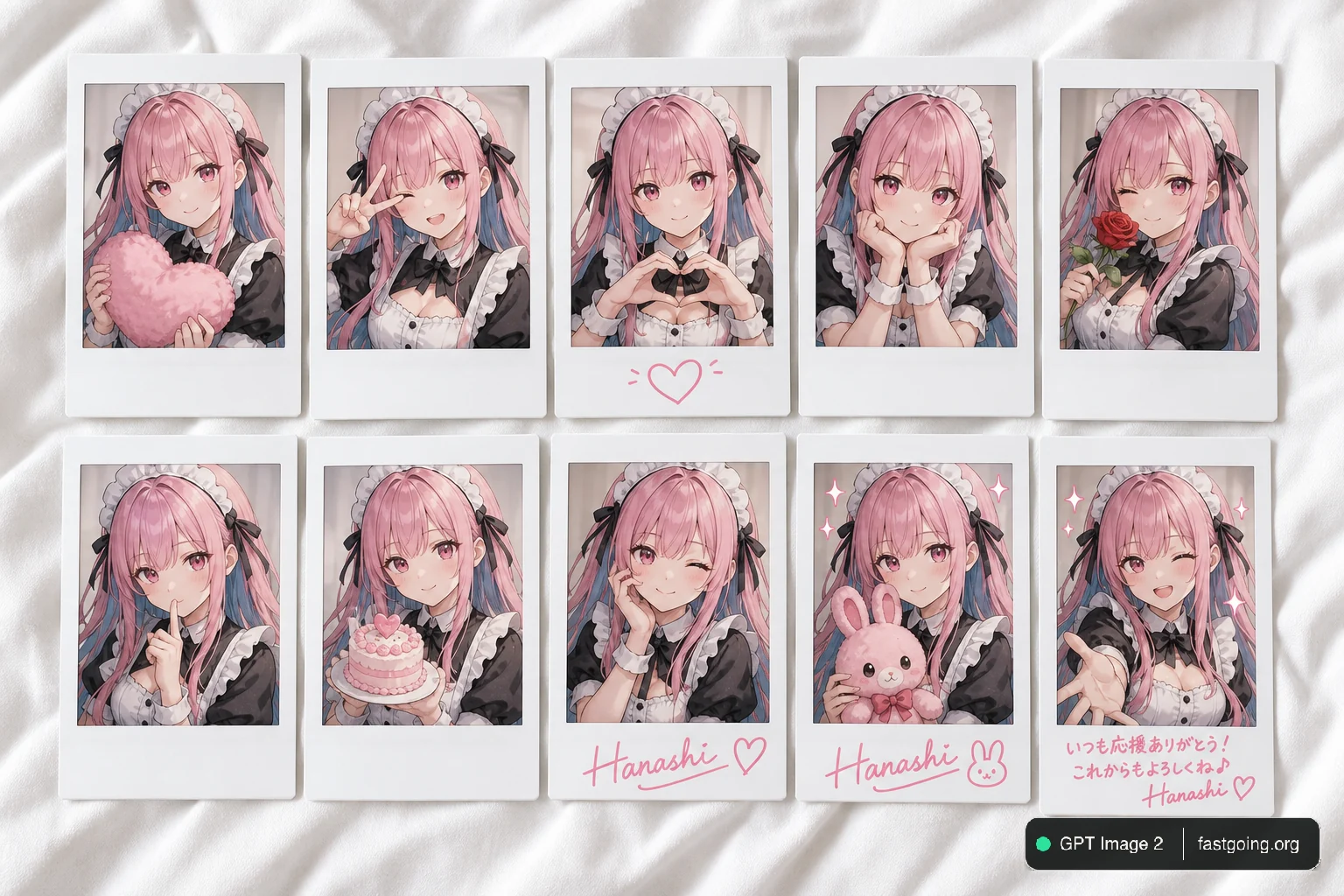
已实测灵感来源于 awesome-gpt-image-2 案例 27;当前提示词与效果图由 Fastgoing 使用 GPT Image 2 实测重新制作。
完整提示词COPY / USE
{
  "type": "collection of instant photos",
  "setting": "laid out flat on a white fabric surface",
  "character": {
    "hair": "{argument name=\"hair color\" default=\"long pink hair with blue inner color\"}",
    "outfit": "{argument name=\"outfit\" default=\"black and white maid uniform with frilly headband and black ribbons\"}",
    "eyes": "reddish-pink"
  },
  "layout": {
    "arrangement": "two rows of five polaroid photos",
    "count": 10,
    "photos": [
      { "position": "top row 1", "description": "holding a pink heart cushion" },
      { "position": "top row 2", "description": "winking, making a peace sign" },
      { "position": "top row 3", "description": "making a hand heart, pink heart doodle on the bottom border" },
      { "position": "top row 4", "description": "resting chin on hands, gentle smile" },
      { "position": "top row 5", "description": "holding a red rose, winking" },
      { "position": "bottom row 1", "description": "finger to lips, shy expression" },
      { "position": "bottom row 2", "description": "holding a small pink cake" },
      { "position": "bottom row 3", "description": "winking, hand near face, signature '{argument name=\"signature text\" default=\"Hanashi\"}' and heart doodle on border" },
      { "position": "bottom row 4", "description": "holding a pink bunny plushie, sparkle doodles, signature '{argument name=\"signature text\" default=\"Hanashi\"}' and bunny doodle on border" },
      { "position": "bottom row 5", "description": "winking, sparkle doodles, message '{argument name=\"message text\" default=\"いつも応援ありがとう!これからもよろしくね♪\"}' and signature '{argument name=\"signature text\" default=\"Hanashi\"}' on border" }
    ]
  }
}复制后,可参考下方“建议替换”项目改成你的主题;带【方括号】的内容请优先替换。
PROVENANCE / 来源与验证
它从哪里来,是否完成实测?
灵感来源于 awesome-gpt-image-2 案例 27;当前提示词与效果图由 Fastgoing 使用 GPT Image 2 实测重新制作。
GPT Image 2 · 2026-08-20 实测HOW TO USE
不用学提示词工程,也能改成自己的。
建议替换
01【角色身份】02【服装道具】03【姿势表情】04【呈现风格】使用小贴士
先只替换变量跑一次,观察最不符合预期的部分;第二轮只补充那一项约束,通常比一次塞进很多要求更稳定。