创意实验 / PROMPT
西方艺术演进像素博物馆
从公开案例收录的创意实验提示词,适合参考其画面结构、风格控制和细节描述。
适用模型GPT Image 2
已实测灵感来源于 awesome-gpt-image-2 案例 215;当前提示词与效果图由 Fastgoing 使用 GPT Image 2 实测重新制作。
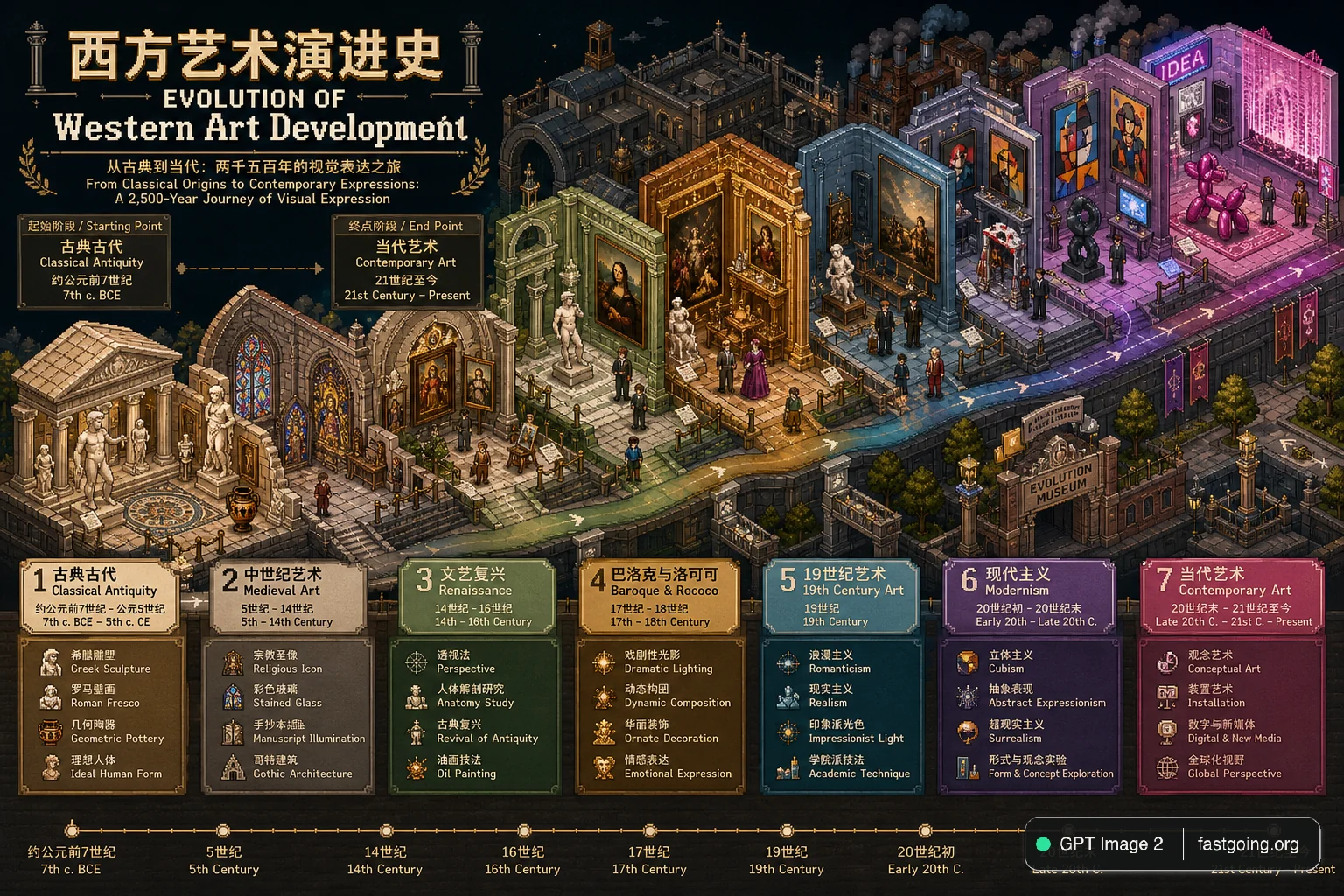
完整提示词COPY / USE
[中文]
创作一张超高细节等距像素艺术时间线插画(3:4,4K),融合细节密度、象征性与隐喻。用户指定的主题为【Western Art Development】。

首先,围绕Western Art Development进行推理,确定:主题的中英文标题、涵盖的最早与最近历史时期、起始阶段标签与结束阶段标签,以及3-5个关键演进阶段及其各自的象征性元素与色彩方案。

然后构建一个以"Western Art Development"为主题的等距"演进博物馆",每个展馆区域代表一个演进阶段,空间推进即代表时间演变。采用标准等距视角(2:1),丰富的层次深度与流畅过渡。每个阶段分配3-5个与主题强烈关联的象征元素,并用差异化色彩暗示时间流动。在场景中融入双语像素字体标题:中文"[主题中文]演进史"与英文"EVOLUTION OF Western Art Development",加上起止阶段的双语副标题及关键时间节点标记。整体风格专业且具视觉张力,适合学术分析与对比可视化,直接出图。

[English]
Create an ultra-high-detail isometric pixel art timeline illustration (3:4, 4K), integrating detail density, symbolism, and metaphor. The user-specified theme is [Western Art Development]. First, reason around Western Art Development to determine: the Chinese and English titles of the theme, the earliest and most recent historical periods covered, the starting stage label and the ending stage label, as well as 3-5 key evolution stages and their respective symbolic elements and color schemes. Then build an isometric "Evolution Museum" themed "Western Art Development", where each exhibition hall area represents an evolution stage, and spatial progression represents time evolution. Adopt a standard isometric perspective (2:1), rich layer depth, and smooth transitions. Allocate 3-5 symbolic elements strongly associated with the theme to each stage, and use differentiated colors to imply the flow of time. Integrate bilingual pixel font titles in the scene: Chinese "[Theme Chinese] Evolution History" and English "EVOLUTION OF Western Art Development", plus bilingual subtitles for the starting and ending stages and key time node markers. The overall style is professional and visually tense, suitable for academic analysis and comparative visualization, direct image output.复制后,可参考下方“建议替换”项目改成你的主题;带【方括号】的内容请优先替换。
PROVENANCE / 来源与验证
它从哪里来,是否完成实测?
灵感来源于 awesome-gpt-image-2 案例 215;当前提示词与效果图由 Fastgoing 使用 GPT Image 2 实测重新制作。
GPT Image 2 · 2026-08-19 实测HOW TO USE
不用学提示词工程,也能改成自己的。
建议替换
01【中文】02【Western Art Development】03【主题中文】04【English】05【Theme Chinese】使用小贴士
先只替换变量跑一次,观察最不符合预期的部分;第二轮只补充那一项约束,通常比一次塞进很多要求更稳定。