UI 界面 / PROMPT
应用界面样机图
从公开案例收录的UI 界面提示词,适合参考其画面结构、风格控制和细节描述。
适用模型GPT Image 2
已实测灵感来源于 awesome-gpt-image-2 案例 161;当前提示词与效果图由 Fastgoing 使用 GPT Image 2 实测重新制作。
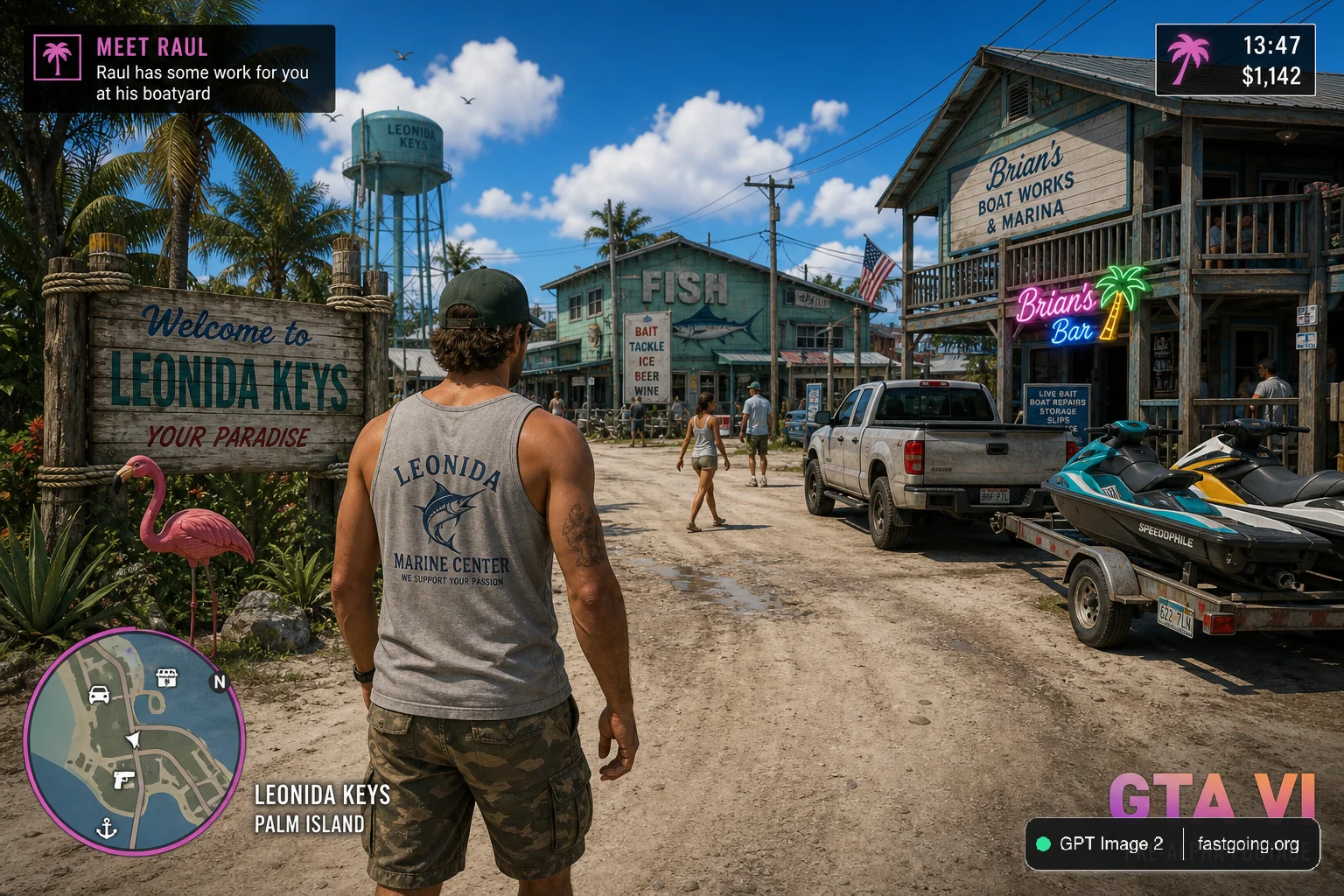
完整提示词COPY / USE
{
  "type": "video game screenshot mockup",
  "perspective": "third-person over-the-shoulder",
  "character": {
    "description": "male protagonist seen from behind",
    "clothing": "grey tank top with graphic '{argument name=\"shirt graphic\" default=\"LEONIDA MARINE CENTER\"}', camouflage cargo shorts"
  },
  "environment": {
    "setting": "tropical coastal town, dirt road, sunny daytime with scattered clouds",
    "left_side": "wooden welcome sign reading 'Welcome to {argument name=\"location name\" default=\"LEONIDA KEYS\"} YOUR PARADISE', pink plastic flamingo, tropical foliage, distant water tower",
    "center": "green building with 'FISH' sign and marlin graphic, sign reading 'BAIT TACKLE ICE BEER WINE', pedestrians walking",
    "right_side": "two-story wooden building 'Brian's Boat Works & Marina', 'Brian's Bar' neon sign, parked pickup truck, jet skis on a trailer"
  },
  "ui_elements": {
    "count": 5,
    "components": [
      {
        "position": "top-left",
        "type": "mission objective",
        "text": "{argument name=\"mission title\" default=\"MEET RAUL\"}\n{argument name=\"mission description\" default=\"Raul has some work for you at his boatyard\"}"
      },
      {
        "position": "top-right",
        "type": "status HUD",
        "text": "13:47\n$1,142",
        "icon": "pink palm tree"
      },
      {
        "position": "bottom-left",
        "type": "minimap",
        "description": "circular map with purple border, white map icons including 'N' for north"
      },
      {
        "position": "bottom-left, right of minimap",
        "type": "location text",
        "text": "{argument name=\"location name\" default=\"LEONIDA KEYS\"}\nPALM ISLAND"
      },
      {
        "position": "bottom-right",
        "type": "watermark",
        "text": "{argument name=\"game title\" default=\"GTA VI\"}\nPRE-ALPHA FOOTAGE"
      }
    ]
  }
}复制后,可参考下方“建议替换”项目改成你的主题;带【方括号】的内容请优先替换。
PROVENANCE / 来源与验证
它从哪里来,是否完成实测?
灵感来源于 awesome-gpt-image-2 案例 161;当前提示词与效果图由 Fastgoing 使用 GPT Image 2 实测重新制作。
GPT Image 2 · 2026-08-19 实测HOW TO USE
不用学提示词工程,也能改成自己的。
建议替换
01【产品或平台】02【页面内容】03【界面风格】04【画面比例】使用小贴士
先只替换变量跑一次,观察最不符合预期的部分;第二轮只补充那一项约束,通常比一次塞进很多要求更稳定。