UI 界面 / PROMPT
界面交互设计图
从公开案例收录的UI 界面提示词,适合参考其画面结构、风格控制和细节描述。
适用模型GPT Image 2
已实测灵感来源于 awesome-gpt-image-2 案例 131;当前提示词与效果图由 Fastgoing 使用 GPT Image 2 实测重新制作。
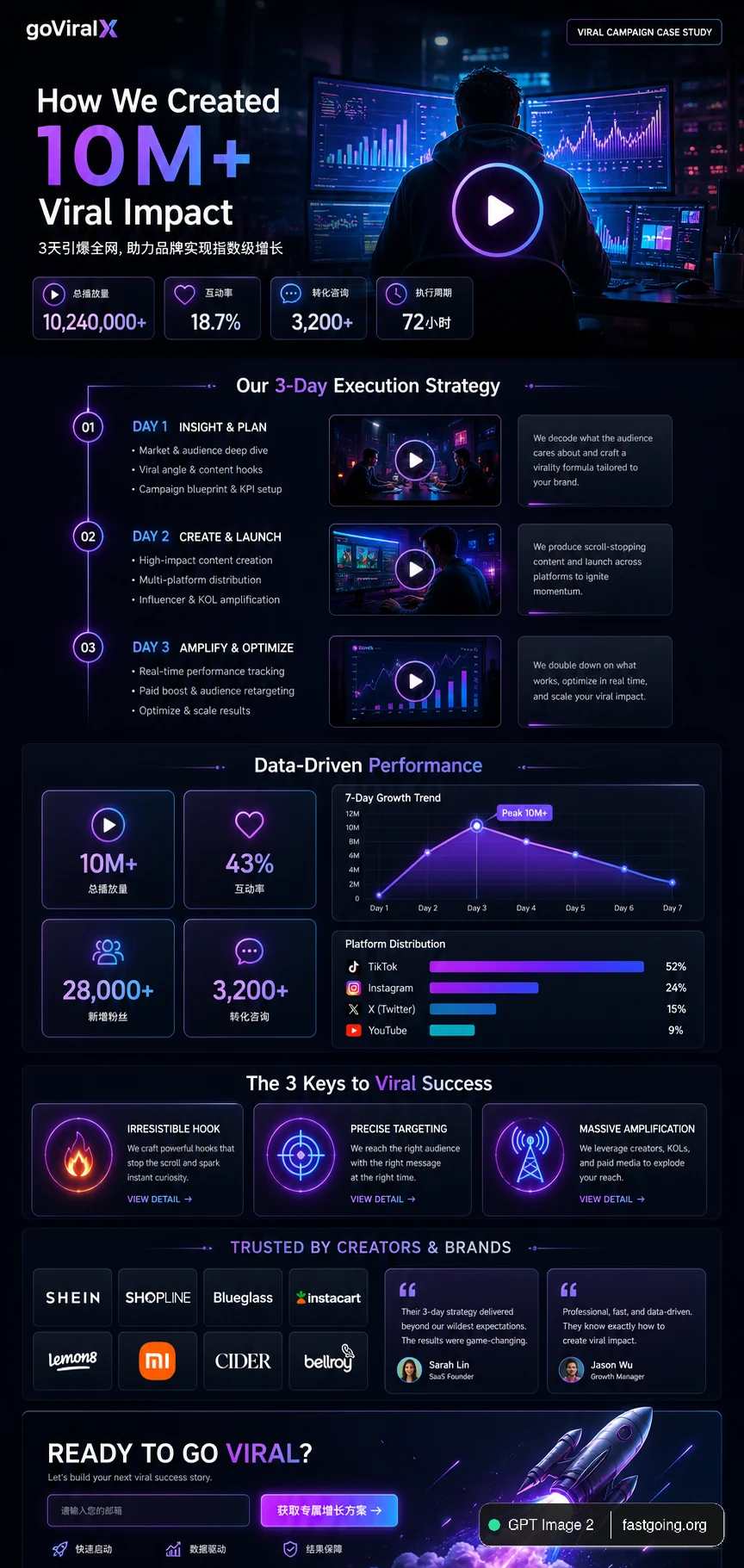
完整提示词COPY / USE
{
  "type": "UI/UX landing page mockup",
  "theme": "dark mode, sleek modern aesthetic, glassmorphism, {argument name=\"primary accent color\" default=\"neon purple and blue\"} glowing accents",
  "header": {
    "logo": "{argument name=\"brand name\" default=\"goViralX\"}",
    "top_right_tag": "VIRAL CAMPAIGN CASE STUDY"
  },
  "layout": {
    "sections": [
      {
        "name": "Hero",
        "headline": "{argument name=\"hero headline\" default=\"How We Created 10M+ Viral Impact\"}",
        "subheadline": "3天引爆全网, 助力品牌实现指数级增长",
        "stats_row": {
          "count": 4,
          "labels": ["总播放量", "互动率", "转化咨询", "执行周期"],
          "values": ["{argument name=\"main statistic\" default=\"10,240,000+\"}", "18.7%", "3,200+", "72小时"]
        },
        "visual": "cinematic shot of a person in a hoodie looking at glowing digital screens and graphs, large play button overlay"
      },
      {
        "name": "Strategy",
        "title": "Our 3-Day Execution Strategy",
        "layout_type": "vertical timeline",
        "steps_count": 3,
        "elements_per_step": ["timeline node", "title", "bullet points", "video thumbnail with play button", "description box"]
      },
      {
        "name": "Performance",
        "title": "Data-Driven Performance",
        "left_column": {
          "stat_cards_count": 4,
          "values": ["10M+", "43%", "28,000+", "3,200+"]
        },
        "right_column": {
          "charts_count": 2,
          "chart_1": "line graph showing 7-day growth peaking at Day 3",
          "chart_2": "horizontal segmented bar chart showing platform distribution (TikTok 52%, Instagram 24%, X 15%, YouTube 9%)"
        }
      },
      {
        "name": "Keys to Success",
        "title": "The 3 Keys to Viral Success",
        "cards_count": 3,
        "card_elements": ["glowing icon (fire, target, antenna)", "title", "description", "VIEW DETAIL link"]
      },
      {
        "name": "Social Proof",
        "title": "TRUSTED BY CREATORS & BRANDS",
        "left_column": {
          "logos_count": 8,
          "grid": "2x4",
          "brands": ["SHEIN", "SHOPLINE", "Blueglass", "instacart", "lemon8", "mi", "CIDER", "bellroy"]
        },
        "right_column": {
          "testimonial_cards_count": 2,
          "elements": ["quote", "author title (SaaS Founder, Growth Manager)"]
        }
      },
      {
        "name": "Call to Action",
        "title": "READY TO GO VIRAL?",
        "interactive_elements": ["text input field", "glowing button with text '{argument name=\"call to action text\" default=\"获取专属增长方案 ->\"}'"],
        "visual": "3D render of a rocket ship taking off with purple and blue flames"
      }
    ]
  }
}复制后,可参考下方“建议替换”项目改成你的主题;带【方括号】的内容请优先替换。
PROVENANCE / 来源与验证
它从哪里来,是否完成实测?
灵感来源于 awesome-gpt-image-2 案例 131;当前提示词与效果图由 Fastgoing 使用 GPT Image 2 实测重新制作。
GPT Image 2 · 2026-08-19 实测HOW TO USE
不用学提示词工程,也能改成自己的。
建议替换
01【"总播放量", "互动率", "转化咨询", "】02【"10M+", "43%", "28,000+"】03【"quote", "author title (】使用小贴士
先只替换变量跑一次,观察最不符合预期的部分;第二轮只补充那一项约束,通常比一次塞进很多要求更稳定。