插画艺术 / PROMPT
建筑空间场景图
从公开案例收录的插画艺术提示词,适合参考其画面结构、风格控制和细节描述。
适用模型GPT Image 2
已实测灵感来源于 awesome-gpt-image-2 案例 121;当前提示词与效果图由 Fastgoing 使用 GPT Image 2 实测重新制作。
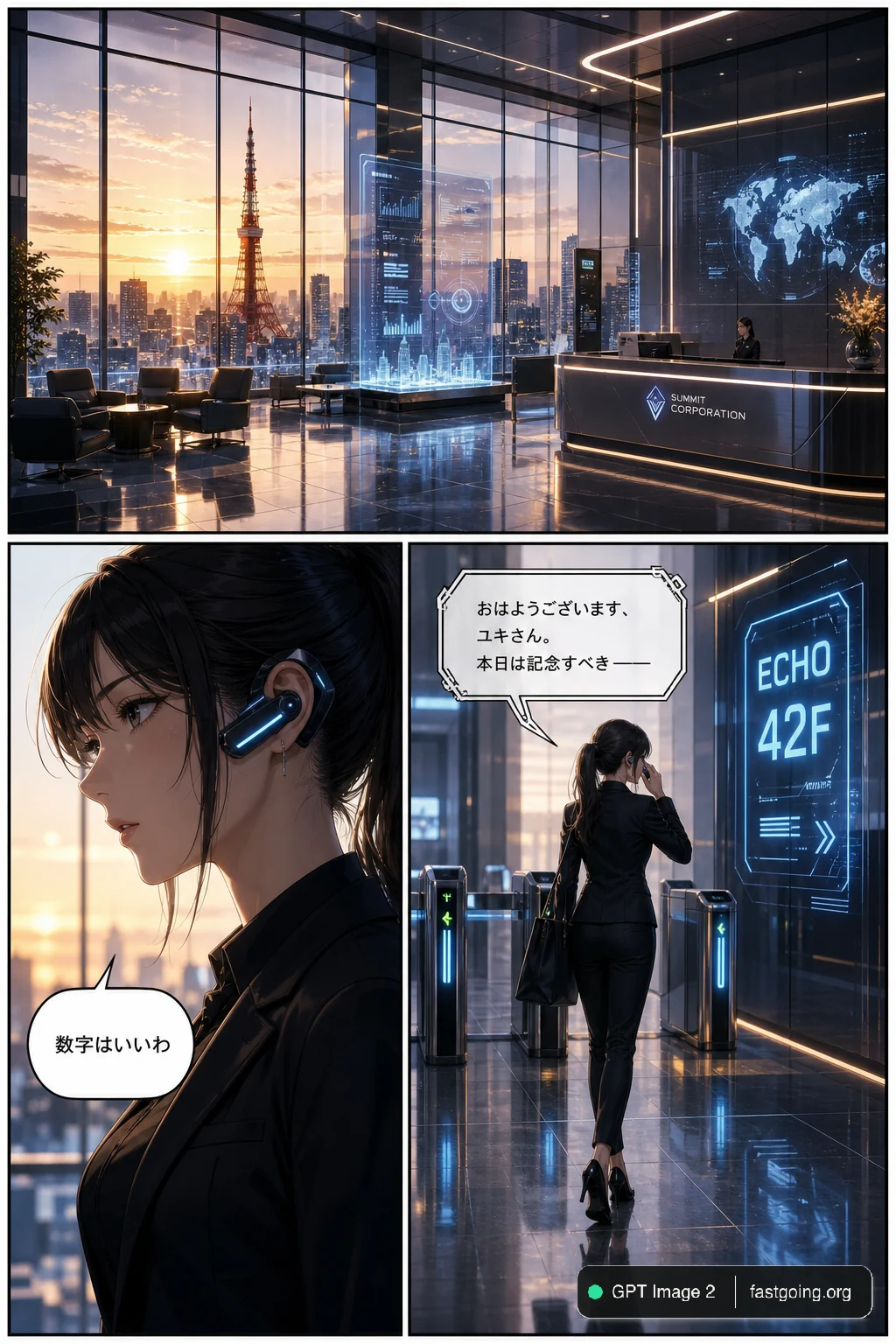
完整提示词COPY / USE
{
  "type": "3-panel manga page",
  "style": "anime, highly detailed, cinematic lighting, futuristic corporate",
  "layout": {
    "structure": "1 wide top panel, 2 square bottom panels"
  },
  "panels": [
    {
      "position": "top",
      "shot": "wide landscape",
      "scene": "Futuristic corporate lobby with floor-to-ceiling windows",
      "lighting": "{argument name=\"time of day\" default=\"sunrise\"}",
      "background": "City skyline featuring {argument name=\"landmark\" default=\"Tokyo Tower\"}",
      "details": "Holographic displays, polished reflective floor, reception desk, lounge chairs"
    },
    {
      "position": "bottom left",
      "shot": "close-up profile",
      "character": "Young woman, dark hair, black business suit",
      "accessories": "Futuristic black earpiece with glowing blue light",
      "speech_bubble": {
        "style": "standard rounded",
        "text": "{argument name=\"character dialogue\" default=\"数字はいいわ\"}"
      }
    },
    {
      "position": "bottom right",
      "shot": "full body, walking away, touching earpiece",
      "character": "Same woman, black suit, black heels, carrying a black tote bag",
      "environment": "Approaching security gates",
      "holographic_sign": "{argument name=\"floor sign\" default=\"ECHO 42F\"}",
      "speech_bubble": {
        "style": "futuristic angular",
        "text": "{argument name=\"AI dialogue\" default=\"おはようございます、ユキさん。本日は記念すべき ──\"}"
      }
    }
  ]
}复制后,可参考下方“建议替换”项目改成你的主题;带【方括号】的内容请优先替换。
PROVENANCE / 来源与验证
它从哪里来,是否完成实测?
灵感来源于 awesome-gpt-image-2 案例 121;当前提示词与效果图由 Fastgoing 使用 GPT Image 2 实测重新制作。
GPT Image 2 · 2026-08-19 实测HOW TO USE
不用学提示词工程,也能改成自己的。
建议替换
01【画面主体】02【艺术风格】03【材质笔触】04【色彩氛围】使用小贴士
先只替换变量跑一次,观察最不符合预期的部分;第二轮只补充那一项约束,通常比一次塞进很多要求更稳定。